Logging in to TradeDirect for the first time
1. If you’re already a BCV customer, skip to step 9. If you’re not yet a BCVcustomer, please download BCV Mobile from the App Store or Google Play.
2. Enter your BCV user ID, which you received by mail, and tap “Log in.”
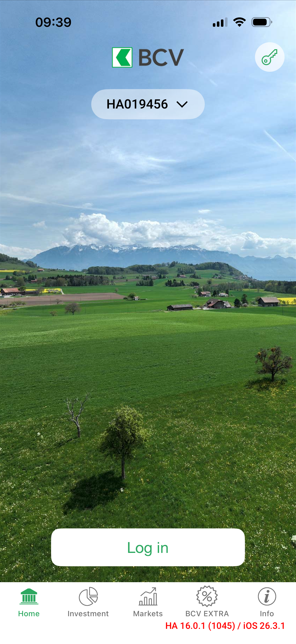
3. Scan the QR-code that you received by mail or enter the code manually.
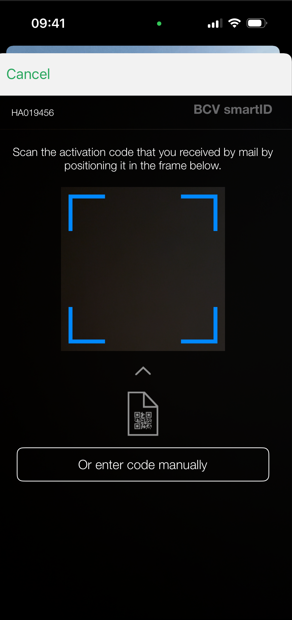
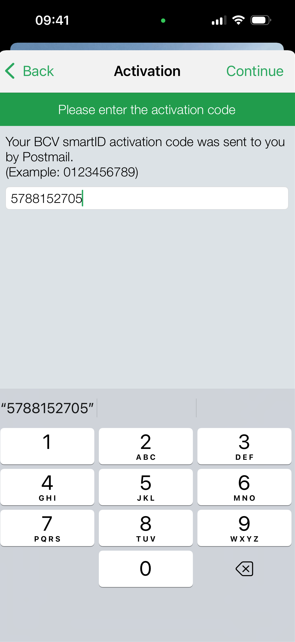
4. Enter the activation code that you received via text message.
5. Tap on “Next.”
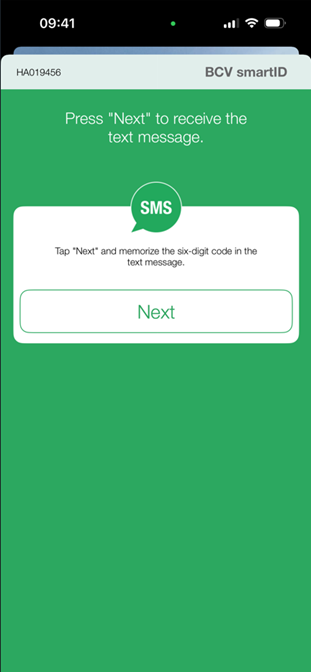
6. You will receive a text message with a six-digit code. Enter this code in the corresponding box.
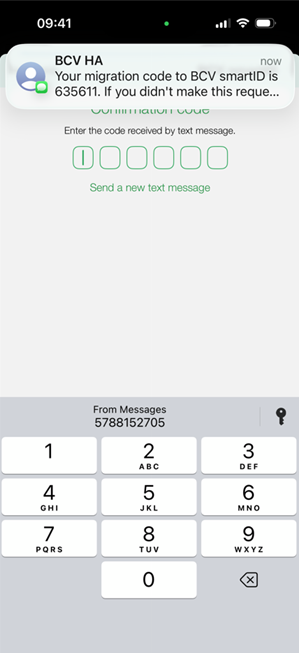
7. Enter a new six-digit password.
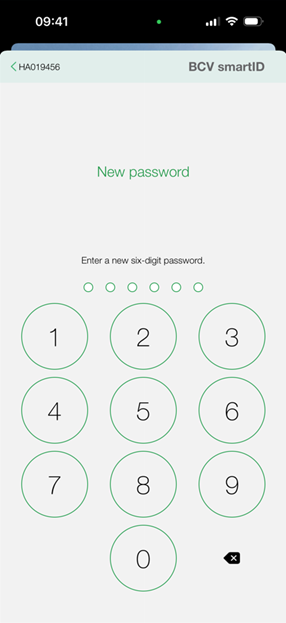
8. Enter your six-digit password again.
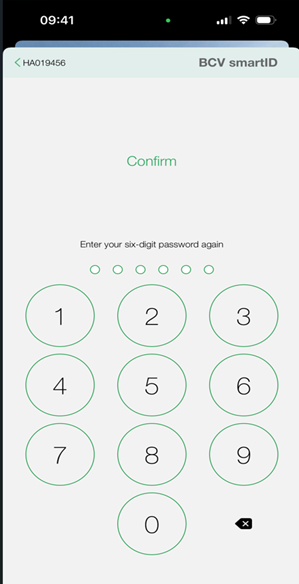
9. Download theTradeDirect app from the App Store or Google Play.
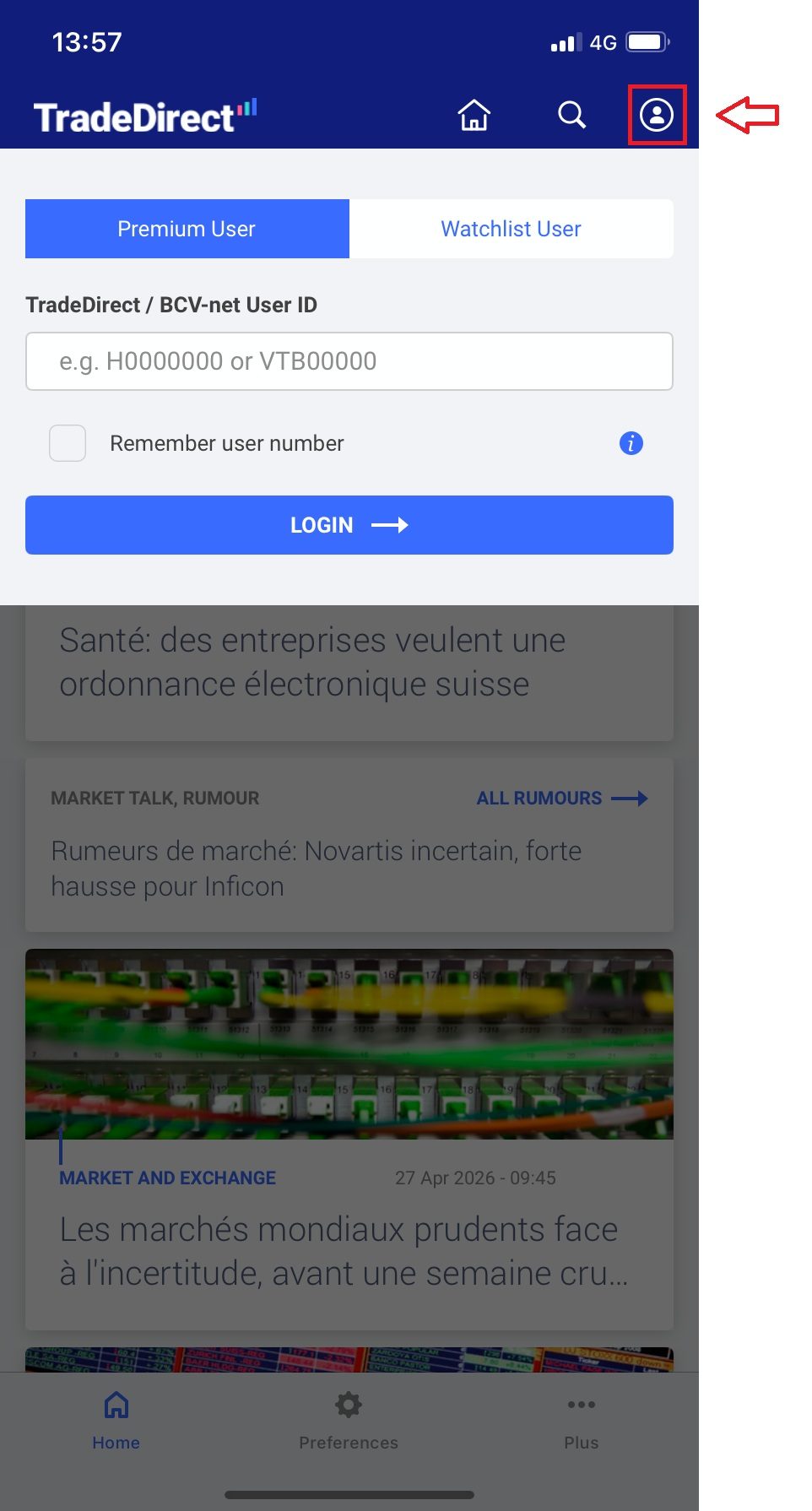
10. Click on the user icon and enter your BCV user ID. You can save your user ID if you wish.
Need more information?
Phone

Our Customer Service Center is open Monday through Friday, 7:30am to 10pm, with some exceptions*
*e.g., days on which the markets are closed or have modified trading hours
Our Customer Service Center is open Monday through Friday, 7:30am to 10pm, with some exceptions*
*e.g., days on which the markets are closed or have modified trading hours

This service is for general questions only. We won’t be able to answer any specific questions concerning your accounts or stock exchange orders.
This service is for general questions only. We won’t be able to answer any specific questions concerning your accounts or stock exchange orders.
Secure message

For questions about your accounts and order status
For questions about your accounts. Note that we do not execute orders based on a secure message.